Forum Replies Created
-
AuthorPosts
-
Stefano
KeymasterYou can post them here and mark the reply as private through the apt checkbox at the bottom of the form. This way only I will be able to see them 🙂
KeymasterIf you are not interested in correct payment history records, at least for this month, and if it’s fine for you not to have correct visits data for these first six days of July, then this is what I would do (may be wise to make a backup first, in case you want to revert back to current configuration):
- Mark all authors as paid. This will reset due payment visits figures to zero for everybody. Visits logged in coming days will start to cumulate and increase the due payment value.
- At the end of the month, when you will be paying authors, mark as paid again every one you pay. Repeat for each month.
This may give trouble for the current month, but should be pain-free for the future.
(If you really want to start anew with visits data, before marking as paid you could even reset Analytics data, although this may lead to even more differences with what visits numbers the plugin is displaying now. In case you wanted to do this, you need to use the Update Analytics data feature in the Google Analytics Status box.)
Does this help?
Have a nice day,
StefanoKeymasterHi Camilo,
I’m going to contact you by email to the address you specified in the topic 🙂KeymasterHi Camilo,
I’m so sorry for the delay! Your post/topics were marked as spam and I’ve seen them only now. I’ve published one of your topic attempts, and I’ll reply there just now 🙂Have a nice day,
StefanoKeymasterHi Richard,
sorry for the delay, I didn’t get a notifications for your reply!I’m currently working on a new addon to allow different settings for different categories. Stay tuned, it should be available in around a week 🙂
Have a nice day,
StefanoJuly 5, 2016 at 10:05 pm in reply to: Error report – page views do not match Google Analytics #51284KeymasterThe point is that what you have done didn’t address the issue. When you select a time range you are not seeing visits recorded in that time range, but posts published in that time range. If a post is published on June 2014, and you mark it as paid now, you are not only marking as paid visits logged in June 2014, but all visits up to today. As I said, visits are always totals, they are never monthly or for custom time ranges anyway.
From your posts I still think you expect the visits numbers to change when you tweak the time range. Is it so? Because that is not how the plugin works. That’s why I advise to mark authors as paid every month, so that visits-to-be-paid figures are reset each month.
Does this help understanding?
KeymasterDo I need to mark everyone as paid each month? Do I need to go back to April 2015 and mark everyone as paid, and repeat that up to June 2016?
If you expect to see visits numbers which match every month what’s displayed in Analytics for that month, then yes, you need to mark everyone as paid each month.
The crucial point is that there’s no visits numbers for June. All visits data is always total, regardless of the time range you select. Does this help understanding?
KeymasterBut the page views in June are still off from Google Analytics.
Have you seen my first post? In particular, keep in mind that changing the selected time range in stats page doesn’t have any impact on the visits figures, so I don’t get how you could tell that page views from June are still off 🙂
KeymasterOkay, so go to Personalize settings -> your username -> Permissions and make sure payment related permissions are all ticked, this should fix for sure.
KeymasterMake sure that Admins override all permissions is ticked in the Miscellanea box in the options page. Does this fix? 🙂
KeymasterHi Terry,
I can provide manual activation as explained in this Q&A, however PayPal is likely not to work.What’s your hosting provider? I will probably upgrade my server to a private solution so the issue will probably go away in coming weeks, but it will take some time anyway, sorry!
I’m available for any help/anything 🙂
Have a nice day,
StefanoJuly 5, 2016 at 10:10 am in reply to: Error report – page views do not match Google Analytics #51267KeymasterHi Matthew,
the errors are not a big issue, they’re just non-successful connections to the license server. However, if your site is unable to contact this server, then you won’t get notifications for new releases as well. If you are subscribed to the newsletter this is not an issue, as you always know when something new comes out, otherwise you may be missing bugfixes and new features you’ve paid for 🙂As for Analytics, have a look at this tutorial, in particular keep in mind that
NOTE that the stats time range doesn’t have any effect on visits time range. The visits/ads figures you see are always totals, there’s no way to get visits numbers with a variable date range. The stats time picker only allows you to select what posts are displayed by tweaking the publication date range.
I’m available for any more questions and support 🙂
Have a nice day,
StefanoJuly 2, 2016 at 7:41 am in reply to: WARNING: Analytics rows to be processed count dropped all of a sudden #51253KeymasterTo get rid of the error message you need to clear the error log, there’s an apt button for that 🙂
July 1, 2016 at 6:41 pm in reply to: WARNING: Analytics rows to be processed count dropped all of a sudden #51249KeymasterHi Ruslan,
the solution to the issue is just in the error message: 🙂Try to lower the number of rows to be processed per page load and make a new import.
Have a nice day,
StefanoKeymasterHi there,
I’d advise you to have a look at the tutorial Set up an effective visits payment flow. If even with that information you don’t manage to put up a setup that is effective for you, then please details what you’d like to do and you haven’t managed to, so I can provide more specific help 🙂Have a nice day,
StefanoKeymasterI’ve just activated your license! 🙂
I apologize once more for the delay.
Have a nice day,
StefanoKeymasterHi Paul,
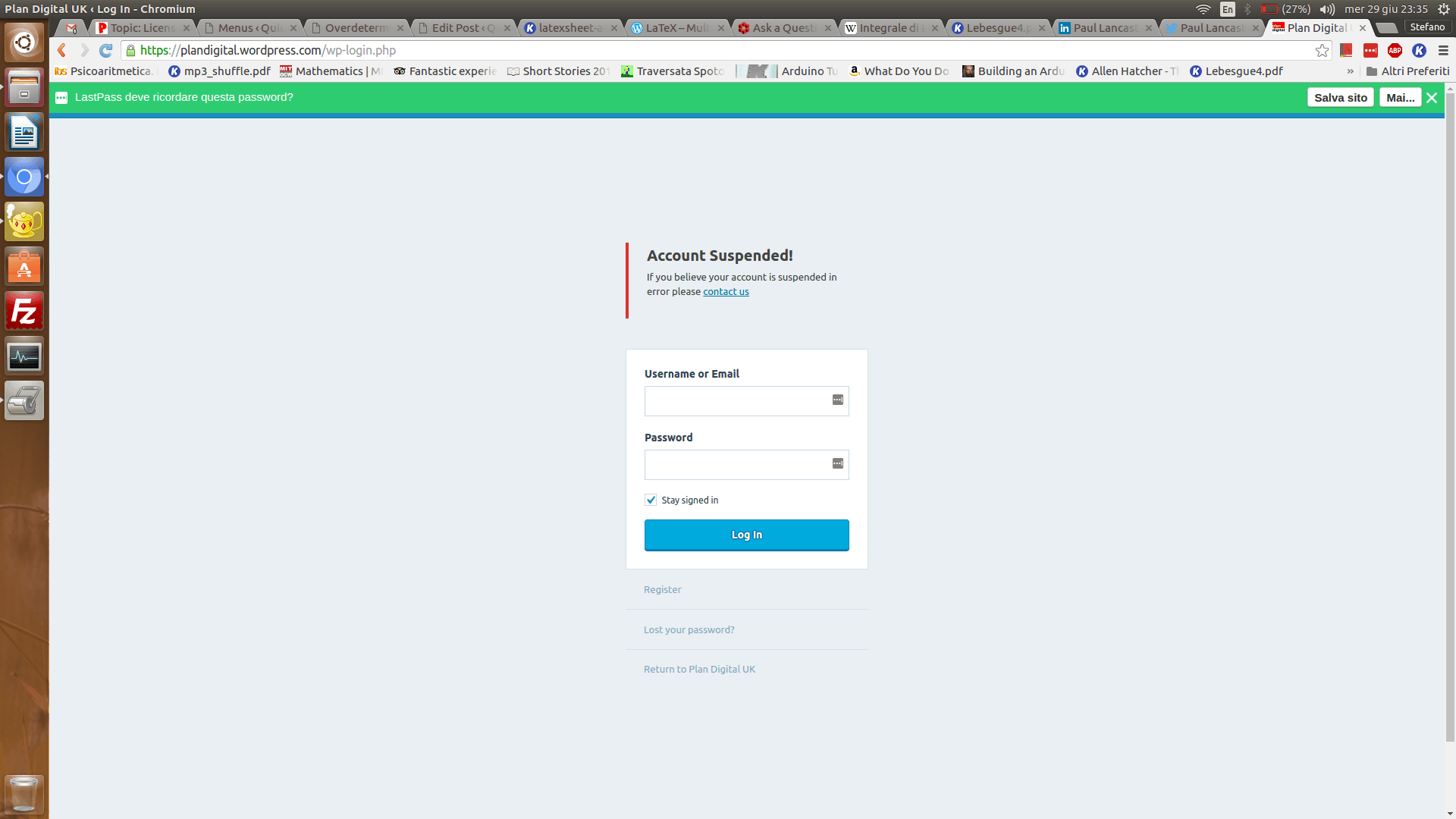
I’m awfully afraid, it looks like I’m not getting email notifications for private replies, sorry! Thanks for the credentials, but I’m still missing the website. I guessed it was plaindigital.com, but when I enter the credentials it says my account is suspended (screenshot).I’ll keep this page open so I’ll see your reply as soon as it comes 🙂
Have a nice day,
StefanoAttachments:
KeymasterAs explained here, I need temporary admin access to your site 🙂
KeymasterHi Paul,
I am wondering, If you manually activate now, will the plugin be able to automatically check in the future, assuming the IP can reach your licensing server?
Yes, if the plugin will be able to reach out to this server at any time, then automatica updates/paypal payments will work just fine 🙂
KeymasterCiao Dario,
credo che il problema sia che stai immettendo nel campo un numero invece che una data. Una data in formato valido è del tipo 2016-06-25 🙂
Aiuta a risolvere?Buona serata,
Stefano -
AuthorPosts